

How Billing Works
How Billing Works
Section titled “How Billing Works”SoftSysVideo uses a prepaid credit model: you add credits to your account, and usage is deducted in real time as meetings happen.
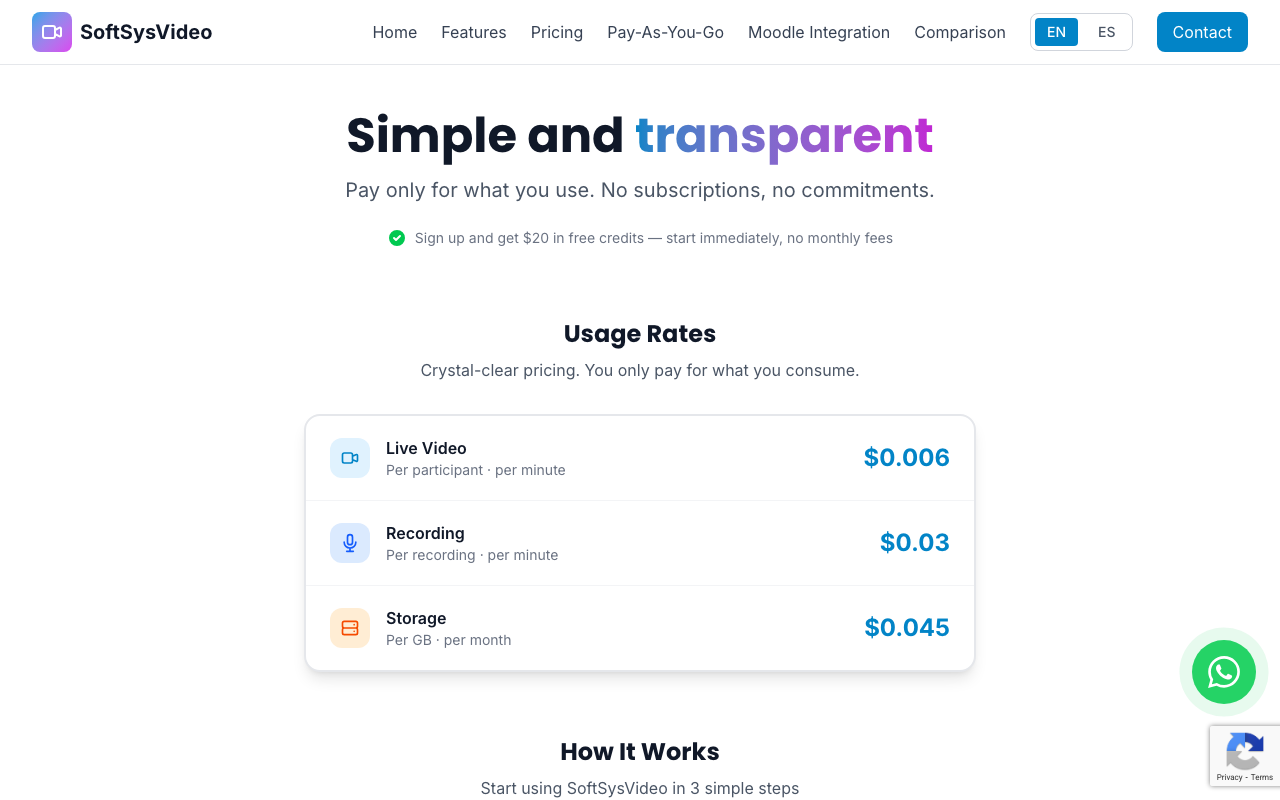
What consumes credits
Section titled “What consumes credits”| Usage type | Rate |
|---|---|
| Video minutes | $0.006 per participant·minute |
| Recording minutes | $0.03 per recorded minute |
| Storage | $0.045 per GB/month |
AI transcription is included at no extra cost.
How video minutes are calculated
Section titled “How video minutes are calculated”Video minutes are calculated as:
participants × duration (in minutes) = participant·minutesExample: A 60-minute meeting with 20 participants consumes:
20 × 60 = 1,200 participant·minutes × $0.006 = $7.20How recording minutes are calculated
Section titled “How recording minutes are calculated”Recording is charged per minute of recorded video (not per participant):
Example: A 60-minute recorded session:
60 minutes × $0.03 = $1.80Credit balance
Section titled “Credit balance”Your current balance is visible in the Billing section of the dashboard. Usage is deducted continuously during live meetings.
If your balance reaches zero, new meetings cannot start until you add more credits.
Top-up bonus
Section titled “Top-up bonus”When you top up $50 or more, you receive a +20% bonus automatically applied at checkout. For example, pay $50 and receive $60 in credits.
Billing cycle
Section titled “Billing cycle”There is no monthly subscription. Your credits roll over indefinitely — they don’t expire. You spend only what you use.
Viewing your balance
Section titled “Viewing your balance”Go to Dashboard → Billing to see:
- Current balance
- Usage breakdown by meeting
- Purchase history
- Cost forecast